


2026 © SDGMART

CA$190.00
CA$380.00
190
(you will get 190 reward points)
- Product Code : SDG-DSM-43
- Product SKU : 100043
- Weight (lbs) : 0.48
Quantity

Free Shipping
For Orders above $250


Secure Payment
100% Protected
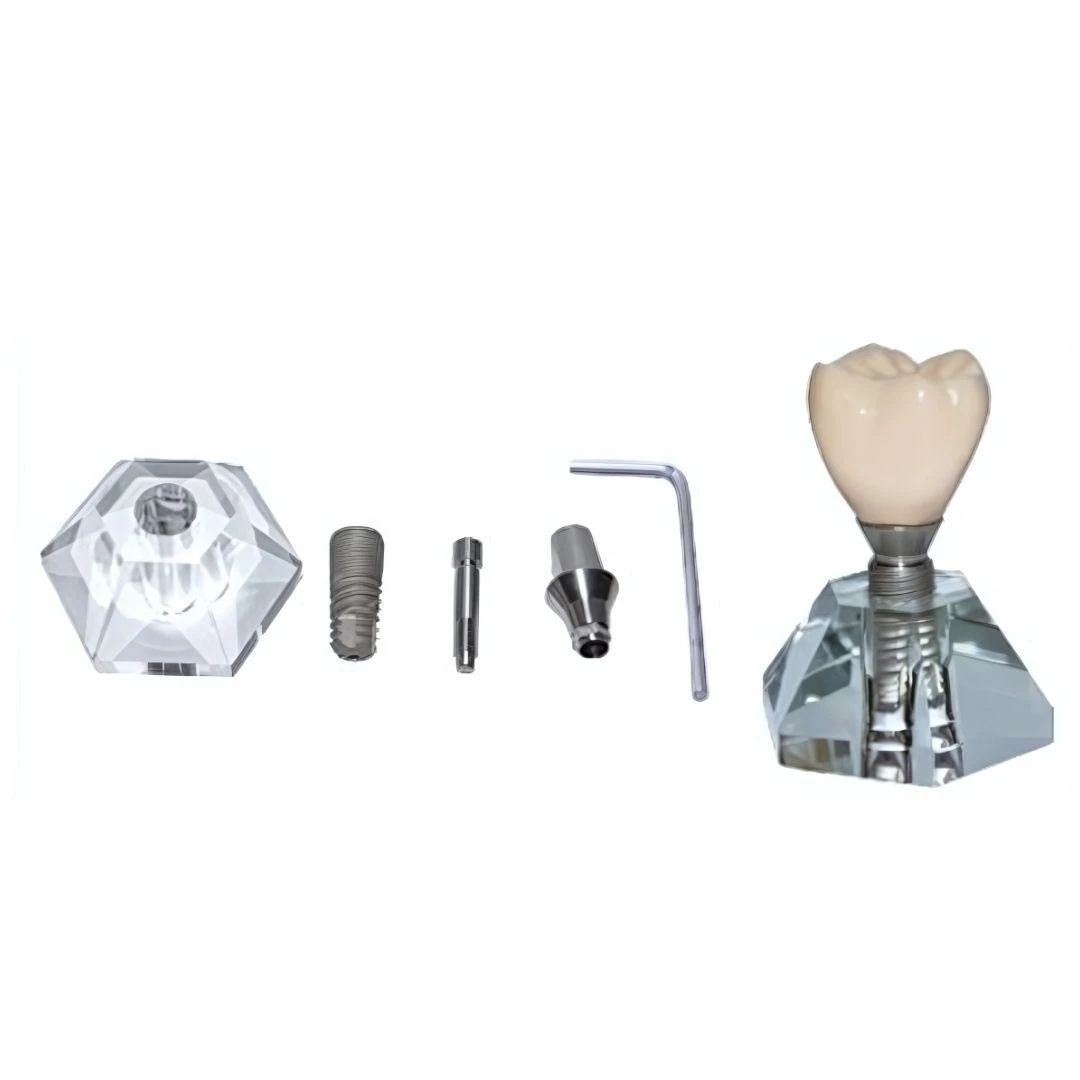
This mode; displays a dental implant demonstration model, showing the step-by-step components used in a dental implant procedure. It is commonly used for educational or patient consultation purposes in dental clinics.
This visual layout presents the components and assembly of a dental implant system, from left to right:
-
Transparent Base (Jaw Simulation):
A crystal-clear acrylic base simulates the jawbone where the implant is anchored. -
Dental Implant (Fixture):
A titanium screw-like component that mimics the root of a tooth and is surgically placed into the jawbone. -
Abutment Screw:
A connector placed on top of the implant fixture, used to attach the abutment. -
Abutment:
A tapered metal part that connects the implant to the final crown. It mimics the tooth core above the gumline. -
Hex Key (Tightening Tool):
A tool used to secure the abutment to the implant via the screw. -
Final Assembly with Crown:
The completed implant with a natural-looking ceramic crown fixed on top of the abutment, demonstrating the final result after implantation.
This type of model is highly useful for:
-
Educating patients about dental implant procedures
-
Training dental students
-
Explaining implant components and functions visually
Includes all parts: acrylic base, implant screw, abutment, crown, and hex key


Customer Reviews